
SketchUp + V-Ray + PhotoShop
About the Course
Learn SketchUp, V-Ray Rendering & Photoshop Visualization – Job Oriented Course
Online 3D Interior & Architecture Design Training
Are you searching on Google for:
✅ SketchUp course in Surat
✅ V-Ray rendering training near me
✅ Online SketchUp course in India
✅ Interior design software training
✅ 3D visualization course with certificate
Then this SketchUp + V-Ray + Photoshop Course is the perfect professional training program for you.
This course helps you learn complete architectural modeling, realistic rendering and professional presentation workflow used in architecture firms, interior studios and design companies.
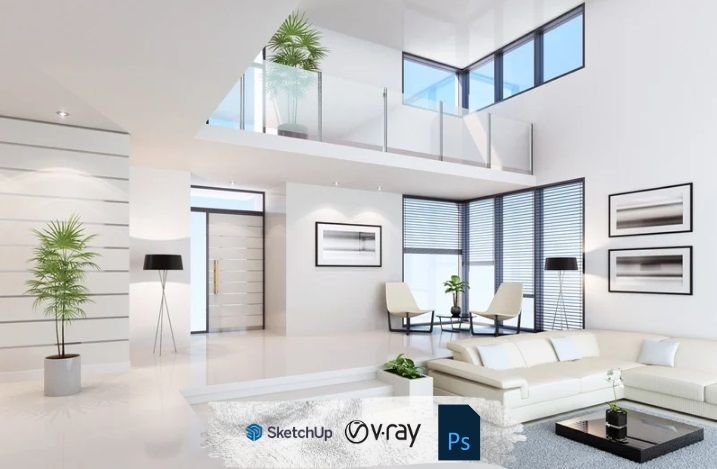
SketchUp is widely used for creating 3D architectural models, while V-Ray helps produce photorealistic renders using lighting and material techniques.
Photoshop is used for final render enhancement and presentation design.
Why Learn SketchUp + V-Ray + Photoshop?
Today, companies need professionals who can:
⭐ Create complete 3D building models
⭐ Design interior layouts and furniture
⭐ Generate realistic render images
⭐ Present projects professionally to clients
⭐ Prepare portfolio for job interviews
Learning these tools together builds a complete 3D visualization skillset required in modern architecture and design industries.
Who Can Join SketchUp Course?
This course is ideal for:
- Architecture students
- Civil engineering students
- Interior designers
- Freelance designers
- Product designers
- Beginners interested in 3D design
Even students with no prior experience can start learning easily.
Course Highlights – SketchUp V-Ray Training
✅ Beginner to advanced level training
✅ Live practical online classes
✅ Classroom training available in Surat
✅ Real project based learning
✅ Portfolio development guidance
✅ Certification after course completion
✅ Placement assistance support
✅ Flexible batch timing
This course focuses on practical industry workflow instead of only theory.
What you will learn?
SketchUp
- Interface and workspace setup
- Basic to advanced 3D modeling
- Components, groups, layers, and scenes
- Materials, textures, and layout creation
- Furniture placement and interior detailing
- Model optimization techniques
V-Ray
- V-Ray interface and tools
Lighting setup (sunlight, HDRI, interior lights) - Material creation and PBR workflow
- Camera settings and render setup
- Rendering in high-quality output
Photoshop
- Post-processing of renders
- Color correction, contrast, and lighting enhancement
- Adding people, plants, shadows, and reflections
- Creating mood boards and presentation sheets
Final project presentation techniques
Course Curriculum (Session-wise)
Session 2: Drawing Fundamentals: Lines, Shapes & Arcs
Session 3: Modeling Basics with Push–Pull (Furniture Modeling)
Session 4: Transform Tools: Move, Copy, Rotate, Scale & More
Session 5: Groups, Components & Object Management
Session 6: Organizing Models: Hide, Lock, Tape Measure & Protractor
Session 7: Adding Information: Dimensions & Text Tools
Session 8: Advanced Modeling: Tags, Intersect Faces & Section Planes
Session 9: Importing CAD Plans & Creating a House Model
Session 10: Exploring and Using 3D Warehouse
Session 11: Solid Tools, Sandbox Tools & Engraved Text Creation
Session 12: Visual Enhancements: Styles, Shadows & Soften Edges
Session 13: Materials & Texture Painting with Paint Bucket Tool
Session 14: Scenes, Animation & Exporting Your Project
Why Choose Our SketchUp Training Institute in Surat?
⭐ Industry experienced trainers
⭐ Latest software training modules
⭐ Real design project practice
⭐ Small batch personalized learning
⭐ Career guidance and interview preparation
⭐ Strong placement support network
We focus on skill development + career growth.
Frequently Asked Questions
- Is this course beginner-friendly?
- Yes, all tools are taught from the basics.
- Do I need a powerful computer?
- A moderate system works, but better GPU improves rendering time.
- Will I learn realistic rendering?
- Yes, complete V-Ray workflow is included.
- Is Photoshop mandatory?
- Yes, for professional post-production and presentation boards.
- Will there be practical projects?
- Yes, multiple interior and architectural rendering projects are included.
| Mode | Online & Offline |
|---|---|
| Duration | 40 Sessions |
| Class Time | 9:00 AM – 7:00 PM (IST) |
Certificate:
CADcity Completion Certificate
Contact
Career Paths
After completing the course, you can work as:
- Interior Designer
- Architectural 3D Modeler
- 3D Visualization Artist
- SketchUp Designer
- Rendering Specialist
- Freelance 3D Artist
Professionals with rendering and visualization skills are highly demanded in construction and design companies.