
Interior Design
About the Course
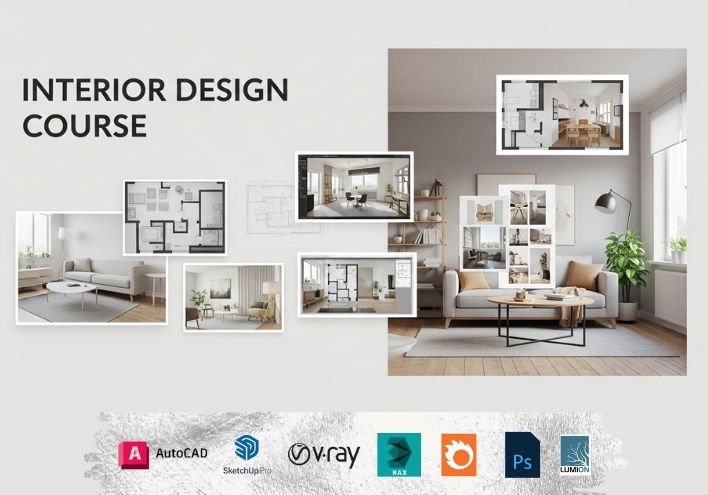
This Interior Design course provides a complete foundation in residential and commercial interior design. You will learn concepts of space planning, color theory, materials, lighting, furniture design, and professional project execution. The course blends creativity with technical skills required to design functional and aesthetically pleasing interiors.
Who should join?
Students interested in creative and design careers
Architects or civil students wanting interior design skills
Home décor enthusiasts
Business owners starting their interior design or renovation services
Freelancers looking to expand their design portfolio
What you will learn?
- Basics of interior design and design principles
- Space planning for homes and commercial spaces
- Color combinations and theme development
- Material selection: tiles, laminates, paints, fabrics, textures
- Lighting design and illumination techniques
- Furniture planning and measurements
- Ceiling, wall, and flooring design concepts
- Basic 2D drafting & 3D modeling for interior layouts
- Creating realistic interior renderings
- Client presentation and project planning
Course Curriculum (Session-wise)
Session 1: Introduction to AutoCAD
Session 2: Modifying Objects
Session 3: Object Properties and Layers
Session 4: Working with Text and Dimensions
Session 5: Basic Drawing Techniques
Session 6: Using Blocks and WBlocks
Session 7: Precision Drawing Tools
Session 8: Working with Layouts and Viewports
Session 9: Working with Blocks and Attributes
Session 10: Using Xrefs (External References)
Session 11: Creating plan and define detail
Session 12: Creating elevation and Construction Line, Ray
Session 13: Creating Section
Session 14: Creating Furniture Detail
Session 15-20: Finalizing Your Drawing
Session 21: Introduction to 3ds Max
Session 22: Modeling Basics
Session 23: Modifying primitives
Session 24: Basic 3d Models
Session 25: Grid and Snap Settings
Session 26: Mirror
Session 27: Window and cross selection
Session 28: All about Splines and Properties
Session 29: All about modifiers and properties
Session 30: Aec extended and properties
Session 31: All about compound objects and properties
Session 32: Polymodeling, Dive deeper into advanced modeling techniques
Session 33: Parametric Wall
Session 34: Create Photo
Session 35: Merge block and file
Session 36: CAD file import
Session 37: Create exterior project
Session 38: Interior Project
Session 39: Export file
Session 40: Animation
Session 41: Introduction to Corona
Session 42: Select corona renderer
Session 43: Maps
Session 44: Materials
Session 45: Modifiers
Session 46: Objects
Session 47: Render Settings
Session 48: Lights
Session 49: Tools
Session 50-52: Rendering Practice
Session 53: SketchUp Interface Basics & Navigation Tools
Session 54: Drawing Fundamentals: Lines, Shapes & Arcs
Session 55: Modeling Basics with Push–Pull (Furniture Modeling)
Session 56: Transform Tools: Move, Copy, Rotate, Scale & More
Session 57: Groups, Components & Object Management
Session 58: Organizing Models: Hide, Lock, Tape Measure & Protractor
Session 59: Adding Information: Dimensions & Text Tools
Session 60: Advanced Modeling: Tags, Intersect Faces & Section Planes
Session 61: Importing CAD Plans & Creating a House Model
Session 62: Exploring and Using 3D Warehouse
Session 63: Solid Tools, Sandbox Tools & Engraved Text Creation
Session 64: Visual Enhancements: Styles, Shadows & Soften Edges
Session 65: Materials & Texture Painting with Paint Bucket Tool
Session 66: Scenes, Animation & Exporting Your Project
Session 54: Drawing Fundamentals: Lines, Shapes & Arcs
Session 55: Modeling Basics with Push–Pull (Furniture Modeling)
Session 56: Transform Tools: Move, Copy, Rotate, Scale & More
Session 57: Groups, Components & Object Management
Session 58: Organizing Models: Hide, Lock, Tape Measure & Protractor
Session 59: Adding Information: Dimensions & Text Tools
Session 60: Advanced Modeling: Tags, Intersect Faces & Section Planes
Session 61: Importing CAD Plans & Creating a House Model
Session 62: Exploring and Using 3D Warehouse
Session 63: Solid Tools, Sandbox Tools & Engraved Text Creation
Session 64: Visual Enhancements: Styles, Shadows & Soften Edges
Session 65: Materials & Texture Painting with Paint Bucket Tool
Session 66: Scenes, Animation & Exporting Your Project
Session 67-69: Create Interior Projects
Session 70-72: Create Exterior Projects
Session 73: User interface and Introduction to V-ray
Session 74: Rendering with V-ray
Session 75-77: Materials in V-ray
Session 78: V-ray Material Library
Session 79-80: Lights in V-ray
Session 81: Settings in V-ray
Session 82: Textures in V-ray
Session 83: V-ray Geometry
Session 84: V-ray Utilities
Session 85: Render Elements
Session 86: Getting Started with Lumion
Session 87: Environment Setup in Lumion
Session 88: Animating Walkthroughs
Session 89: Enhancing Animations
Session 90: Workflow Integration
Session 91-93: Case Study 1-2
Session 94-100: Projection
Training Highlights
- Live instructor-led sessions
- Hands-on assignments & downloadable practice files
- Class recordings (for online batches)
- One-to-one session & doubt clearing
- Certificate of completion and placement help
Frequently Asked Questions
- Is this course suitable for beginners?
- Yes, the course starts from basics and requires no prior design experience.
- Do I need drawing or sketching skills?
- Basic sketching helps, but not mandatory.
- Do I need a powerful computer?
- A moderate system works for drafting and 3D work.
- Will I get hands-on projects?
- Yes, practical interior projects for each module are included.
- Can I start freelancing after completing the course?
- Yes, you will learn how to create layouts, renders, and client presentations.
| Mode | Online & Offline |
|---|---|
| Duration | 100 Sessions |
| Class Time | 9:00 AM – 7:00 PM (IST) |
Certificate:
CADcity Completion Certificate
Contact
Phone: +91-7490008464
Email:compusoftedusurat@gmail.com
Career Paths
- Interior Designer
- Residential Interior
- Consultant
- Commercial Space
- Designer
- 3D Interior Visualizer
- Furniture Designer
- Modular Kitchen Designer
- Freelance Interior Planner